SEO VPS in 2026: 6 Providers for Running SEO Tools 24/7, Compared on Windows, RAM, and Price


Your laptop is not the best place to run an SEO crawl that takes hours or a rank tracking job that needs to stay on a schedule. Why? Because once you close the lid, lose power, or let the machine restart, the job may stop before it finishes. That's the reason you need a virtual private server (VPS). It gives you a remote machine that keeps running after you disconnect, lets you install your SEO software, schedule tasks, and access the server from your own computer. Of course, you still need to manage software updates, restarts, and scheduled jobs, but you no longer have to keep your laptop awake. In this article, we'll compare six SEO VPS providers on Windows licensing, RAM, NVMe storage, additional IP costs, and refund policies to help you choose a server that fits your workload.
For a licensed 8 GB Windows VPS, BearHost's Grizzly ($16.99/mo, 4 vCPU, 8 GB RAM, 80 GB NVMe, Windows included at the Linux price, no renewal increase) is the cheapest option in this comparison, and Bear ($9.49/mo, 4 GB) covers rank tracking. Cloudzy and BlueVPS give you more storage or locations at roughly three times the price, and Cloudzy's Windows image is only a 180-day evaluation licence. Hostwinds and Kamatera cost over $60/mo but add snapshots or managed support. Ahrefs and Semrush site audits do not need a VPS at all.
SEO VPS vs SEO hosting: which one do you need?
The term SEO VPS can describe two different products, and choosing the wrong one can cost you money.
| Product | What you get | Who needs it |
|---|---|---|
| VPS for SEO software | A virtual server with CPU, RAM, storage, and an IP address for running crawlers, rank trackers, and scripts | You want to run SEO software around the clock or schedule tasks independently of your computer |
| Multi IP SEO hosting | Hosting that lets you assign multiple IP addresses, often marketed as separate Class C addresses, to different websites | You manage a network of sites and specifically need multiple IP addresses |
We'll focus on the first one in this guide. Note that you do not need multiple IP addresses just because you run SEO software.
Which SEO tools need a VPS, and which do not?
You need a VPS when the software runs on the machine you control, and you want it available for long crawls or scheduled work. Browser-based tools that run their own crawlers do not require you to rent a server just to perform an audit.
| SEO tool | Does it need a VPS? | What you should know |
|---|---|---|
| Ahrefs and Semrush | No, not for their Site Audit tools | Their own crawlers perform website audits, and both offer scheduled auditing options. |
| Screaming Frog SEO Spider | Useful for large or scheduled crawls | It runs on Windows, Mac, and Ubuntu Linux. Database storage mode and an SSD help with large crawls. |
| SEO PowerSuite | Useful for scheduled desktop work | It supports Windows Server 2016 R2 or later, Windows 10 and 11, macOS, and Linux. Its minimum RAM requirement is 4 GB. |
| Sitebulb Desktop | Not necessarily | Desktop crawling uses your computer's resources. Sitebulb Cloud runs through your browser and can crawl up to 10 million URLs per audit without relying on your own machine. |
| Python scripts and headless Chrome | Useful for long or scheduled jobs | A VPS can keep your scripts running when your personal computer is offline. Resource needs depend on your code and how many browser instances you run. |
What you need to look for in an SEO VPS
- Before you choose an SEO VPS provider, consider these:
Windows licensing. Check whether the price includes a full Windows license, charges extra for it, or supplies only an evaluation license. Some desktop SEO tools also run on Linux, so you may be able to avoid the Windows license cost altogether. Choose an operating system that your software supports.
RAM and SSD storage. More demanding crawls need more memory and disk space, often at least 8 GB of RAM. Some SEO tools recommend at least 16 GB RAM and up to a 1 TB SSD for extensive crawling.
IP addresses and their cost. One dedicated IPv4 address is normally sufficient for audits and rank tracking. If you need more, compare the actual extra IP charges rather than assuming multiple addresses come with the plan. Some providers publish a price per IP, while others do not disclose one publicly.
Automation and acceptable use rules. Read the provider's terms before you install scripts, crawlers, or automation tools. Providers can restrict activities such as bulk email, automated posting, and certain kinds of mass scanning. A host advertising SEO VPS hosting does not necessarily permit every SEO related workload.
Your server should match the software you intend to run. A 4 GB plan may suit basic rank tracking, while larger crawls can require 8 GB, 16 GB, or more. Check the tool's requirements, leave enough memory for the operating system, and allow storage for what your crawls will consume before choosing a plan.
A quick scorecard of 6 SEO VPS providers
The comparison below uses an 8 GB Windows plan from each provider since that's the most recommended minimum by most SEO tools. Cloudzy's price is promotional, while Kamatera's published option is a managed Windows plan, so their terms differ from unmanaged VPS hosting.
| Provider | Windows plan with 8 GB RAM | Windows licence | Extra IP cost | Refund or trial | Best for |
|---|---|---|---|---|---|
| BearHost | $16.99/mo, 4 vCPU, 80 GB NVMe | Included at Linux price | Paid add-on; price not disclosed publicly | 30 days on eligible first purchase | Affordable Windows SEO tools |
| Cloudzy | $26.48/mo promotional, $52.95 regular, 4 vCPU, 240 GB NVMe | 180-day evaluation, then your own license | $2.50/mo per floating IPv4 | 14 days on new purchases | Large crawls and multiple regions |
| BlueVPS | $45/mo, 6 cores, 80 GB NVMe | Included | $3 per IP; billing interval not stated | 7 days for unused service time; crypto excluded | Windows in many locations |
| Bacloud | €48/mo, 4 vCPU, 160 GB NVMe | Included | Not disclosed publicly | 30 days on the first eligible service | Windows workloads that comply with its usage rules |
| Hostwinds | $62.99/mo, 4 CPU, 150 GB storage | Included | $2/mo per additional IP | 72 hours, prorated | Unmanaged Windows with more storage |
| Kamatera | $63/mo, 4 availability cores, 100 GB NVMe | Included in the published managed Windows plan | First IP included; next 3 cost $1/mo each | 30-day free trial, subject to limits | Managed Windows and flexible IP allocation |
To help you make faster choices
- Choose BearHost for the best overall value, with Windows licensing included, NVMe storage, a dedicated IP, and no renewal price hikes.
- Choose Cloudzy or BlueVPS if you need more storage or wider location options, but expect to pay around three times BearHost's regular 8 GB price. Cloudzy also requires your own Windows license after 180 days.
- Choose Bacloud, Hostwinds, or Kamatera if you have specific storage, management, or IP needs, but weigh Bacloud's strict automation restrictions against Hostwinds' and Kamatera's higher prices.
- Let's get to the list.
1. BearHost: Windows at the Linux price, from $9.49/mo
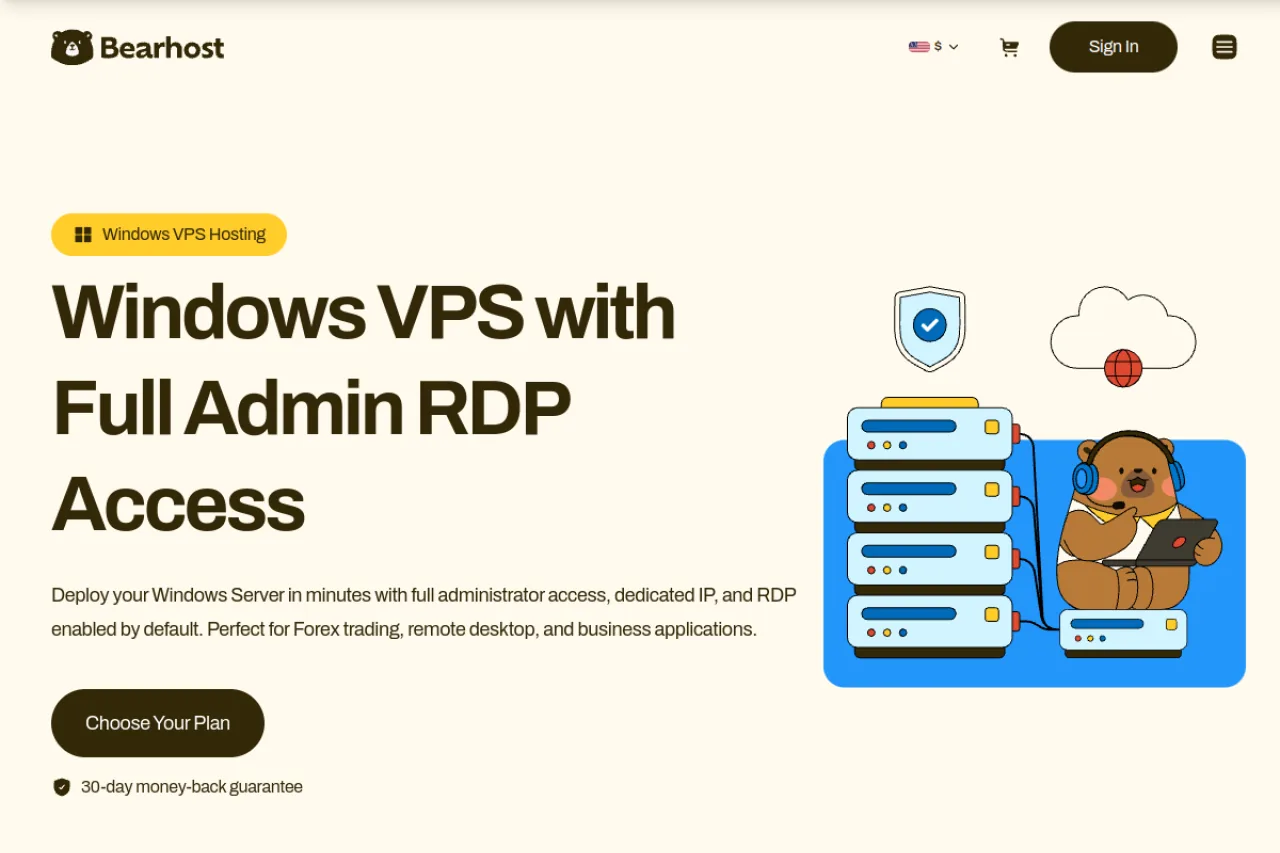
BearHost Windows VPS gives you Windows Server 2019 or 2022 with Administrator access and RDP enabled. The Windows license is included at the same price as Linux, and your renewal price stays the same. Servers are hosted in the Netherlands (Amsterdam) or France (Paris), and you can pay monthly by card or crypto.
Windows Server needs at least 2 vCPU, 4 GB RAM, and 40 GB of disk to run comfortably, so Bear is the smallest plan you can order with Windows. The Cub plan is Linux only.
BearHost VPS plans for SEO tools
| Plan | vCPU | RAM | NVMe | Monthly price | Good for |
|---|---|---|---|---|---|
| VPS Cub | 1 | 2 GB | 20 GB | $5.49 | Light scripts (Linux only) |
| VPS Bear | 2 | 4 GB | 40 GB | $9.49 | Rank tracking |
| VPS Grizzly | 4 | 8 GB | 80 GB | $16.99 | Large crawls |
| VPS Kodiak | 6 | 16 GB | 160 GB | $32.99 | Very large crawls |
Where BearHost fits, and where it does not
Each plan includes one dedicated IPv4 address, NVMe storage, and a 1 Gbps port, with a 99.9% uptime commitment and a 30-day money-back guarantee on your first purchase. You can use the server for Screaming Frog, SEO PowerSuite, rank tracking, and scripts that need to run while your computer is off. Additional IPv4 addresses are available as paid add-ons, subject to availability and justification, but the price is not disclosed publicly.
The only caveat is the email and abuse policy. Outbound port 25 is blocked, and spam, email validation activity, or other abuse that triggers an IP reputation listing can lead to suspension without a refund.
Best for: You want a licensed Windows VPS for SEO tools at a low, predictable monthly price, without a Windows surcharge or renewal increase. Bear (4 GB, $9.49) covers rank tracking, and Grizzly (8 GB, $16.99) handles large crawls. See the RDP server page if you mainly want a remote Windows desktop.
2. Cloudzy: an SEO VPS page and 13 regions
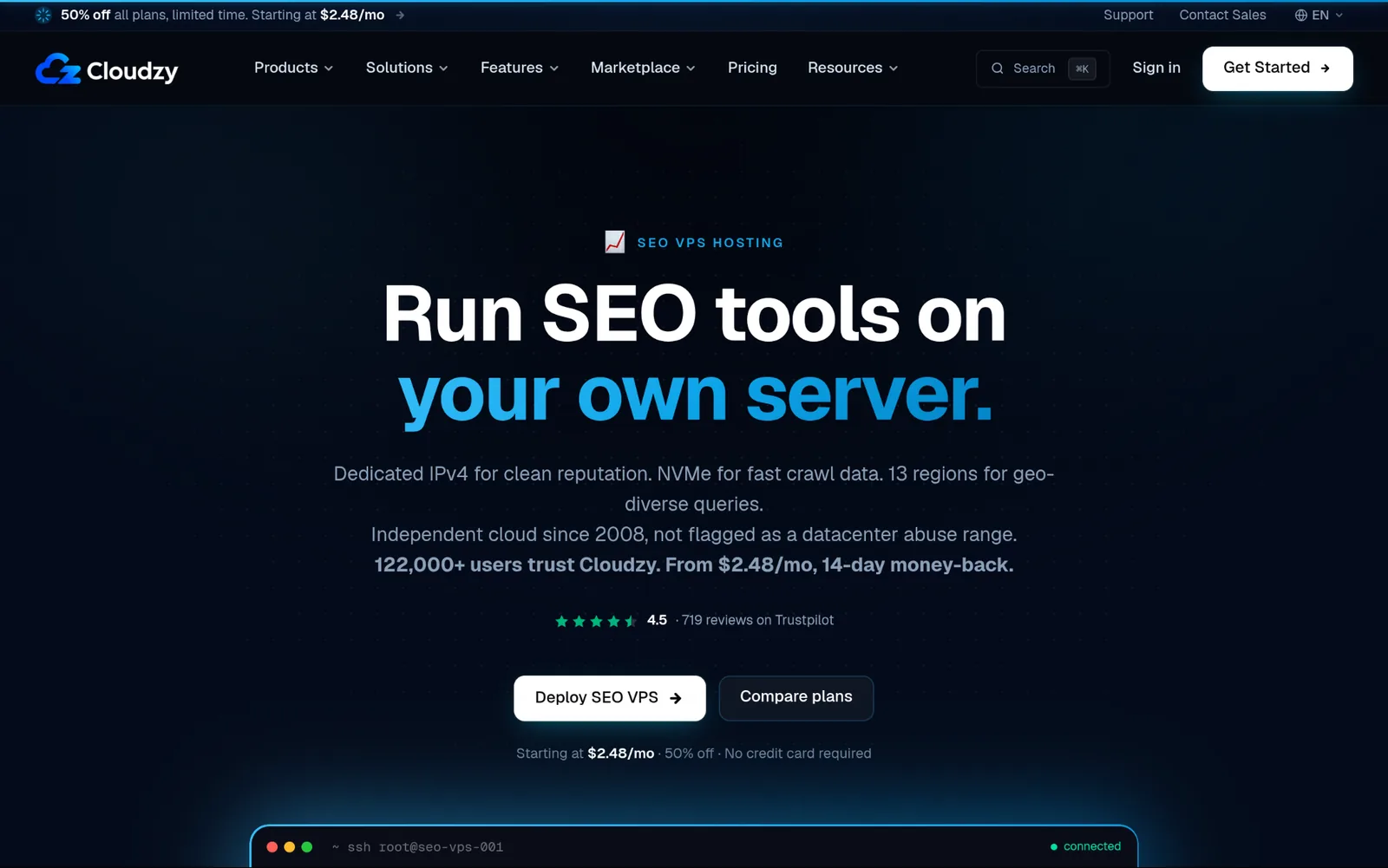
Cloudzy Windows VPS gives you 4 vCPU, 8 GB DDR5 RAM, and 240 GB NVMe storage for $26.48 per month at the current promotional rate, normally $52.95 per month. You also get 7 TB of monthly transfer, a dedicated IPv4 address, IPv6, and a choice of 13 locations. You can add floating IPv4 addresses for $2.50 per month each. Billing is available hourly, monthly, or yearly.
The main caveat is Windows licensing and the discount. The Windows image includes a 180-day evaluation license, after which you must provide a valid full license. The advertised monthly price also doubles when the 50% promotion ends. Cloudzy excludes accounts suspended for acceptable use violations from its refund guarantee.
Best for: You need substantial NVMe storage and several server locations for crawlers or scripts, and you have capital for the Windows license cost and regular renewal price.
3. BlueVPS: licensed Windows in 20 locations
BlueVPS SEO VPS lists an 8 GB Windows NVMe plan for $45 per month, Windows license included. It has six CPU cores running at 2.9 GHz, 80 GB NVMe storage, unlimited bandwidth on a 1 Gbps port, one IPv4 address, and four IPv6 addresses. Extra IPs cost $3 each.
The drawback is the refund policy. BlueVPS offers seven days to request a refund for unused service time. Cryptocurrency payments and installation assistance fees are nonrefundable, and the provider requires identity verification for refunds.
Best for: You need a licensed Windows server in a particular country and prefer NVMe storage, with enough resources for desktop SEO tools.
4. Bacloud: euro pricing and a 30-day refund
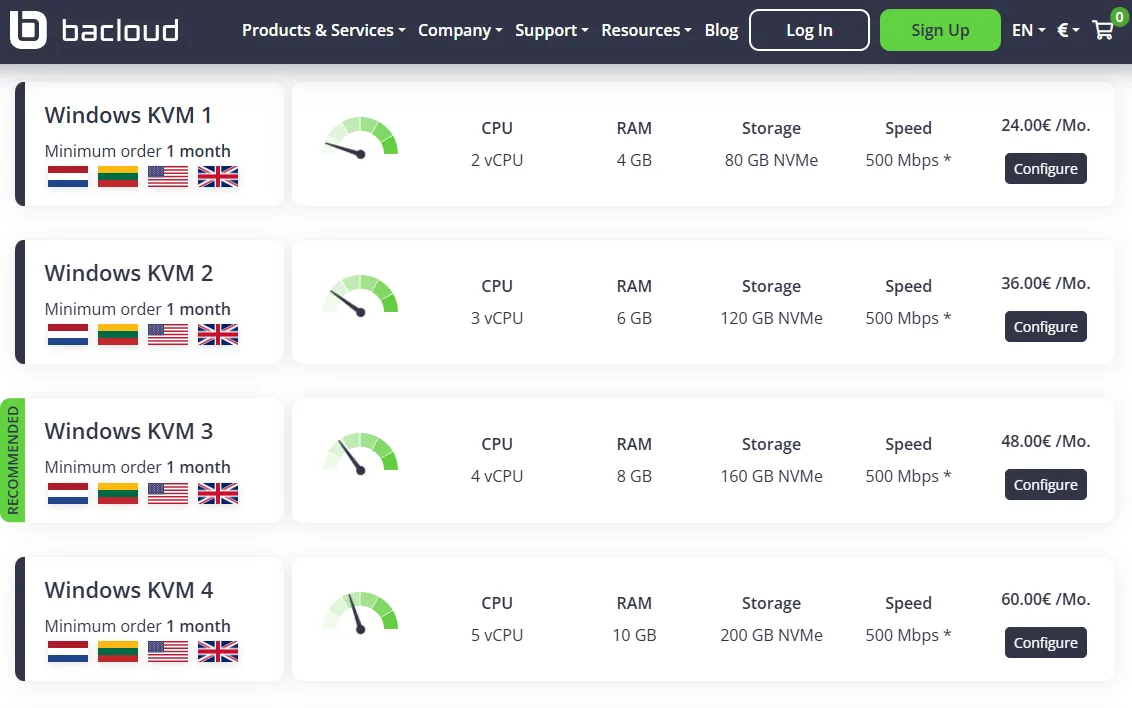
Bacloud Windows VPS includes DDoS protection, firewalls, real-time monitoring, 24/7 technical support, and costs €48/mo for 8 GB RAM, four CPUs, and 160 GB NVMe storage. You can also add daily or weekly backups to protect your SEO projects and crawl data.
One limitation to note. Bacloud prohibits automated forum and blog posting, several link building tools, and mass website scanning. Its Windows servers are also currently listed as out of stock.
Best for: You need extra backup options and monitoring for SEO workloads that comply with Bacloud's rules.
5. Hostwinds: US and Amsterdam data centres
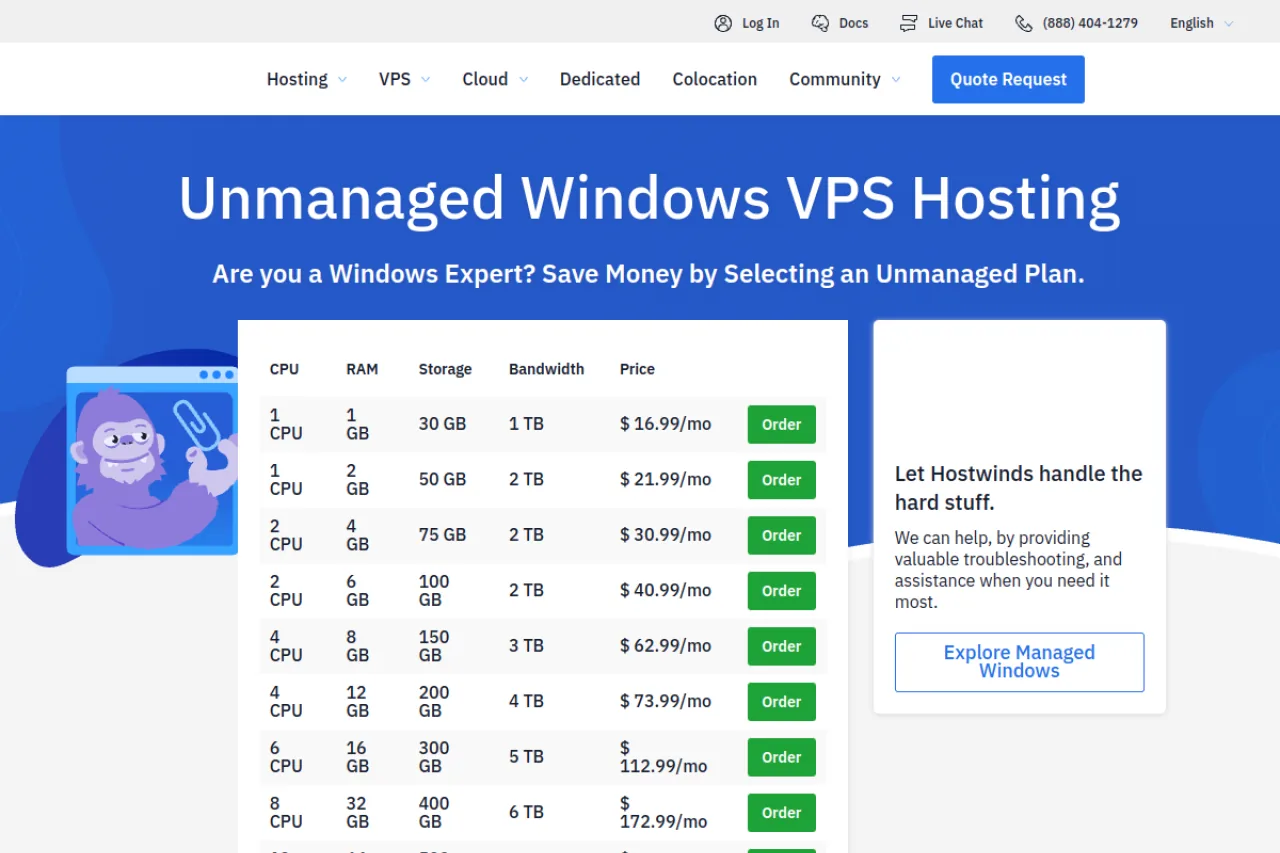
Hostwinds unmanaged Windows VPS includes snapshots you can take without downtime. You can use them to restore a server or launch another one with the same configuration. Its external firewall lets you control traffic outside Windows, while real-time monitoring automatically opens a support ticket when it detects a technical issue.
The 8 GB unmanaged Windows plan costs $62.99 per month and includes four CPUs and 150 GB storage.
The tradeoff is that you handle Windows updates, software installation, and server configuration yourself. Hostwinds monitors the server, but that does not make the plan fully managed.
Best for: You want recovery snapshots, an external firewall, and monitoring while keeping control of server administration.
6. Kamatera: build any size, with cheap extra IPs
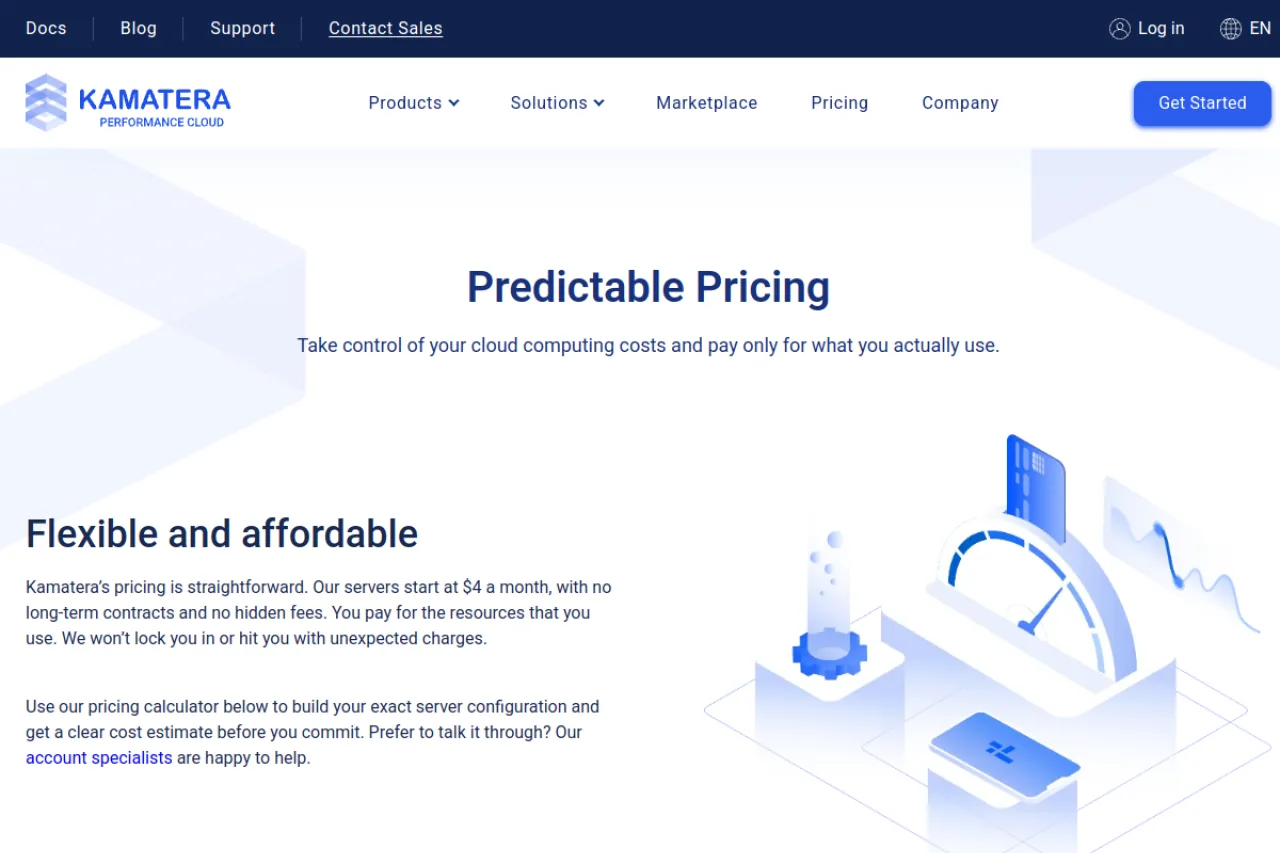
Kamatera's VPS can take routine server work off your hands, including operating system maintenance, updates, firewall management, and troubleshooting. It also offers 24/7 technical support, system monitoring, data replication, and room to scale as your SEO workload grows.
Its published 8 GB managed Windows plan costs $63 per month and includes 4 availability cores, 100 GB NVMe storage, and 5 TB of monthly traffic.
One thing to budget for is usage costs on top of the existing high bill. Extra traffic costs $0.01 per GB, and additional storage costs $0.05 per GB per month. Extended daily backups are an optional add-on.
Best for: You want help managing Windows and troubleshooting server issues rather than handling every maintenance task yourself.
How much RAM does each SEO tool need?
RAM needs vary by what you intend to do and increase as tasks scale up.
| Workload | Vendor guidance | Suggested BearHost plan |
|---|---|---|
| Screaming Frog, up to 2 million URLs | 4 GB allocated to the app, with an SSD | Grizzly, 8 GB RAM |
| Screaming Frog, around 5 million URLs | 8 GB allocated to the app | Polar, 32 GB RAM |
| Screaming Frog, around 10 million URLs | 16 GB allocated and at least 500 GB SSD | Polar, 32 GB RAM, plus storage |
| Screaming Frog, memory storage mode | 8 GB allocated for roughly 200,000 URLs | Polar, 32 GB RAM |
| SEO PowerSuite | 4 GB minimum | Bear, 4 GB RAM for lighter projects |
| Sitebulb Desktop | 4 GB free minimum, 8 GB recommended | Grizzly, 8 GB RAM |
| Python scripts and headless Chrome | Depends on the workload | Bear, 4 GB RAM for light jobs |
Screaming Frog's database storage mode saves crawl data to disk and is better suited to large websites. Memory storage keeps data in RAM so that it can use much more memory. JavaScript rendering also adds processing demands, so leave extra capacity if your crawls depend heavily on it.
RDP for SEO tools: Windows or Linux VPS?
- Choose the operating system based on the software you need to run.
Choose Windows if you want a remote desktop for tools such as SEO PowerSuite or Screaming Frog. Both support Windows, and SEO PowerSuite explicitly supports Windows Server 2016 R2 or later. Read our guide to RDP hosting or learn how to buy RDP.
Choose Linux if you mainly run Python scripts, scheduled crawls, and command line tools. Screaming Frog supports Ubuntu Linux, while SEO PowerSuite also supports Linux. You can run scripts with cron without maintaining a Windows desktop. See our Linux VPS hosting plans.
Windows licensing can add to your hosting bill, depending on the provider. BearHost includes Windows at the same price as Linux, while Cloudzy's Windows images use a 180-day evaluation license and require a new license after.
Cheap SEO VPS: Windows with 4 GB RAM
Four GB is a reasonable starting point for lighter SEO applications, but it leaves less room for Windows and several programs running together.
| Provider | Windows plan with 4 GB RAM | What to know |
|---|---|---|
| BearHost | $9.49/month, 2 vCPU, 40 GB NVMe | License included, same renewal price |
| Cloudzy | $14.48/month promotional, 2 vCPU, 120 GB NVMe | Regular price $28.95/month; evaluation license only |
| Bacloud | €24/month, 2 vCPU, 80 GB NVMe | Windows license included, but currently out of stock |
| BlueVPS | $30/month, 4 cores, 40 GB NVMe | Licence included |
| Hostwinds | $30.99/month, 2 CPU, 75 GB storage | Unmanaged plan with license included |
For more options, see our roundup of cheap Windows VPS with RDP, or compare cheap VPS hosting plans if Linux will do.
How to set up an SEO VPS, step by step
- Here's how to set up Screaming Frog on a BearHost Windows VPS.
1. Order a Windows plan. Choose Grizzly with 8 GB RAM for ordinary crawls. For larger projects, choose a plan with more RAM and storage.
2. Connect through RDP. BearHost sends your login details by email within a few minutes of payment. Open Remote Desktop Connection on Windows or a compatible remote desktop app on your Mac, enter the server details, and log in.
3. Install Screaming Frog. Download it from the official website. Enter your license key if you need to crawl more than the free version's 500 URL limit.
4. Choose database storage. Open File, then Settings, then Storage Mode. Select Database Storage to save crawl data to disk rather than keeping everything in RAM.
5. Allocate memory. Open File, Settings, and Memory Allocation. Screaming Frog recommends 4 GB allocated for crawls up to around 2 million URLs. On an 8 GB server, that leaves 4 GB for Windows and other processes.
6. Schedule your crawls. Open File, then Scheduling. Set the target website, schedule, and export options. Enable Headless Mode under the Spider tab when scheduled exports require it.
7. Disconnect without signing out. Close the Remote Desktop window when you finish. Disconnecting leaves your applications running, while signing out closes your session's applications.
8. Take a snapshot if your provider supports it. A snapshot gives you a recovery point after installation and configuration. It is not a replacement for separate backups of important crawl data.
What can get an SEO VPS suspended?
- Running crawlers and rank tracking software is not automatically a problem. The risk comes from what your scripts do and whether the provider allows it.
Automated posting and link building. Bacloud prohibits automated forum and blog posting, several named link building tools, and mass website scanning. Kamatera also prohibits spam comments and fake blogs created to manipulate search rankings.
Email scraping and spam. Kamatera prohibits harvested email addresses and unsolicited bulk email. Hostwinds may charge $250 per hour for remediation when customer activity gets its IP space blacklisted.
Outbound email on port 25. BearHost blocks this port by default. Use an email provider that supports authenticated submission over port 587 or 465 instead.
Mass scanning and abusive scraping. Bacloud expressly prohibits mass network, IP, and website scans. BearHost also prohibits automated scraping that violates another site's terms or applicable law.
Check the provider's acceptable use policy before running an automation workflow. A suspension for abuse can also mean losing your refund eligibility. BearHost forfeits the remaining service fee for abuse-related suspensions, and Cloudzy excludes acceptable use violations from its money-back guarantee.
For another always-on workload that needs the same kind of server, read our guide to running crypto trading bots on a VPS.
Frequently Asked Questions
Conclusion
All the providers we reviewed have their good edges. Cloudzy gives you more storage options and server locations, while Kamatera suits users who want managed support. BlueVPS includes a Windows license, and Hostwinds adds useful features like snapshots and an external firewall. Bacloud is a less practical choice right now because its Windows plans are out of stock and its rules restrict several link building workflows, but it's just as task-effective as the others. However, if you need a VPS provider that offers Windows Server at the same price as Linux, with Linux plans starting at $5.49 per month and Windows from $9.49, no renewal hike, and efficient use with your SEO tools, consider BearHost. The Bear plan gives you 4 GB of RAM for $9.49 per month, while Grizzly offers 8 GB for $16.99. Ready to run your SEO tools around the clock? Start with a BearHost Windows VPS.