
Cloudways Review 2026: The Flat-Price Managed Cloud


While every major hosting provider runs a promo-then-renewal playbook, Cloudways publishes one price, bills it monthly or even hourly, and never hikes the price at a renewal, because there is no renewal. That is why it earned the #3 spot in our top 10 hosting providers for 2026, ahead of brands twenty times its size. In this review, we'll share how this flat price powers the flexible platform on five cloud providers, the newer Autonomous autoscaling line, the caching stack, staging, and its add-on economy.
Cloudways is managed cloud hosting that runs on DigitalOcean, Vultr, Linode, AWS, and Google Cloud, from $11/mo flat with no renewal spike. The caching and staging stack is genuinely strong and every plan gets unlimited sites. The catch is the add-on economy: email, Cloudflare Enterprise, and advanced support all cost extra, so the real bill runs higher than the sticker. Overall: 4.0 / 5.
The scorecard
| Category | Score | One-line verdict |
|---|---|---|
| Pricing model | 4.8 / 5 | Flat, monthly or hourly, no renewal hikes at all |
| Flexible platform (managed cloud) | 4.2 / 5 | Five cloud providers, solid infrastructure, $11 entry |
| Caching & performance stack | 4.3 / 5 | Memcached, Varnish, Nginx, and Redis caches, Object Cache Pro built in |
| Staging & deployment | 4.2 / 5 | 1-click staging, cloning, Git deploy, included |
| Autonomous (autoscaling WP) | 3.7 / 5 | Genuine autoscaling hosting and autohealing servers |
| WooCommerce & app hosting | 4.0 / 5 | 1-click WordPress, Woo, Magento, Laravel, PHP |
| Add-on economy | 3.2 / 5 | Site manager, malware protection, premium support, and enterprise Cloudflare CDN all cost extra |
| Support | 3.6 / 5 | Basic 24/7 support is available; advanced support is $100/mo |
| Overall | 4.0 / 5 | An honest mid-market pick |
The pricing model: the reason this review exists
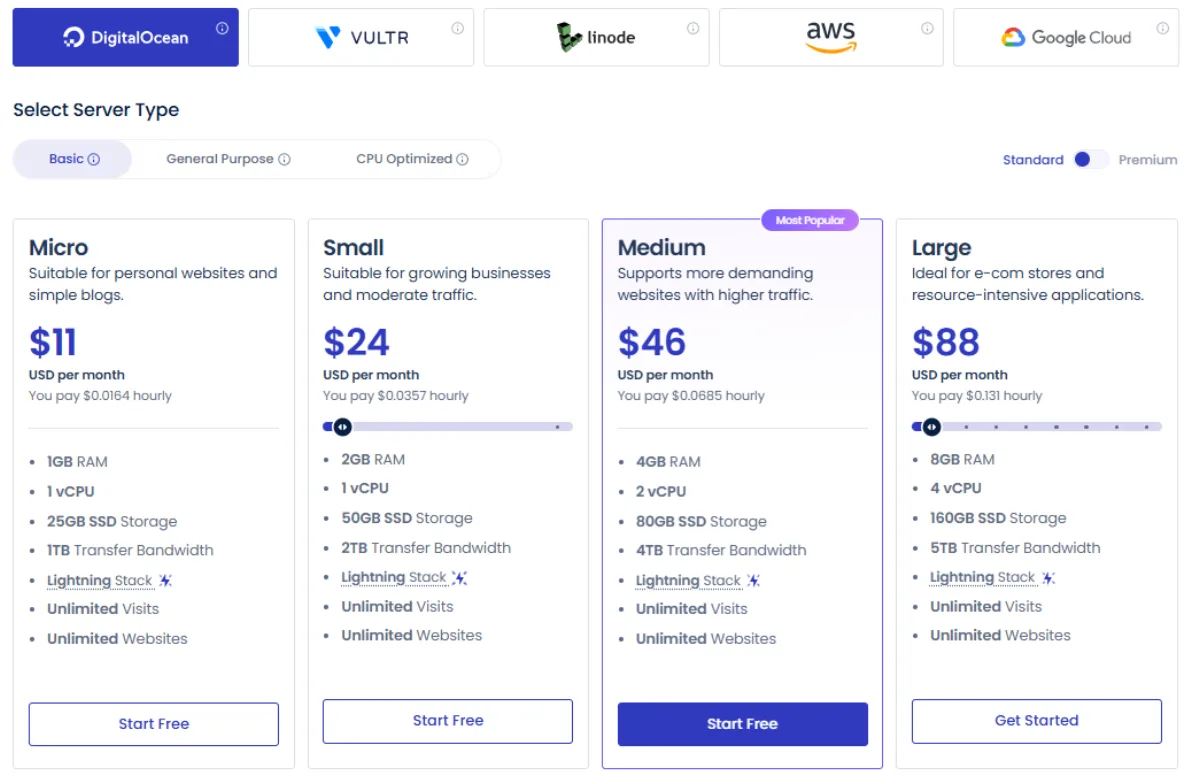
Cloudways has two offerings: Flexible and Autonomous. Standard Flexible plans start at $11/mo for a managed 1 GB server on DigitalOcean (1 vCPU, 25 GB storage, 1 TB transfer). Higher tiers with optimized CPU hit $967/mo for business-critical applications needing almost 64 GB RAM and 32 vCPU.
Other providers cost more at the entry point: Vultr and Linode are $14/mo, AWS starts at $20.56/mo, and Google Cloud at $37.33/mo (AWS and GCE pass through regional pricing, which is why they're pricier than DO). Every bundle includes unlimited sites and visits, optional hourly billing, and a 3-day trial with no card.
The important part: your renewal price stays the same as your starting price unless you scale up. Start on the $11/mo plan this year and you pay the same next year. That contrasts with most hosts, where the renewal is 2x or more the initial cost, exactly the pattern we dig into in our Cloudways vs Hostinger comparison.
The Flexible platform: what "managed" means here
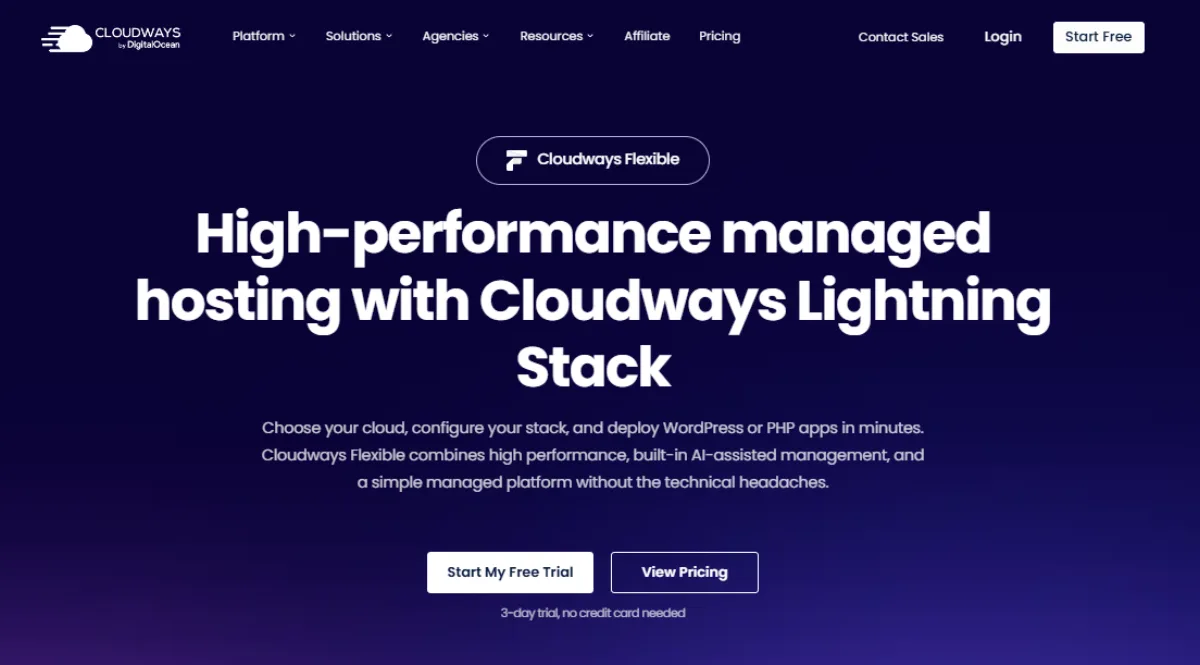
Cloudways Flexible handles much of the server work while leaving you in control. You pick your cloud provider and server size, scale resources up when a site needs more power, and manage everything from the Cloudways dashboard. You also get automated offsite backups, one-click restores, free SSL, team accounts, and server transfer to clients if you run an agency, plus 1-click installs for WordPress, WooCommerce, Magento, Laravel, and other PHP apps.
The key nuance: "managed" does not mean Cloudways watches your server and upgrades it automatically when traffic climbs. On Flexible, you are still responsible for choosing the right server size and adding resources when you need more capacity.
Caching, staging, and the developer workflow
This is where Cloudways offers more than renting a server directly from DigitalOcean. Your plan comes with Varnish, Nginx, Memcached, and Redis already configured, so your site loads faster and handles more visitors without you wiring it up from scratch. WordPress users also get the Breeze caching plugin free, and Object Cache Pro is included on eligible plans (except DigitalOcean's basic tier). You can tune Varnish from the dashboard too.
Staging, a private copy of your site to test changes before going live, is a few clicks away, and you can push changes between staging and live, clone servers or applications, and deploy with Git. Agency and team plans add project organization, per-member access levels, and tools for managing client servers and billing.
Autonomous: the newer, pricier, easier option
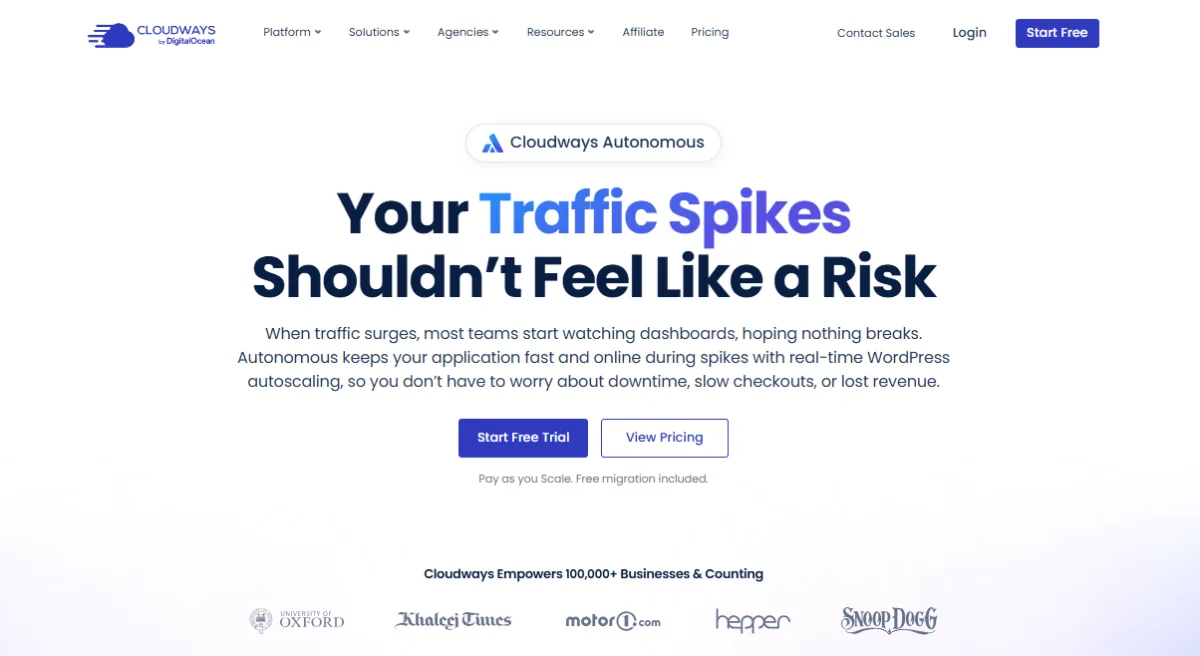
Cloudways Autonomous is a separate hosting product built for busy WordPress sites. Unlike Flexible, you don't have to worry as much about whether your server has enough power for a sudden traffic increase, the service can automatically add capacity when demand rises. That makes it useful for dynamic ecommerce and LMS sites where lots of users are shopping, logging in, checking out, or taking courses at once.
What Autonomous costs (and its overage meters)
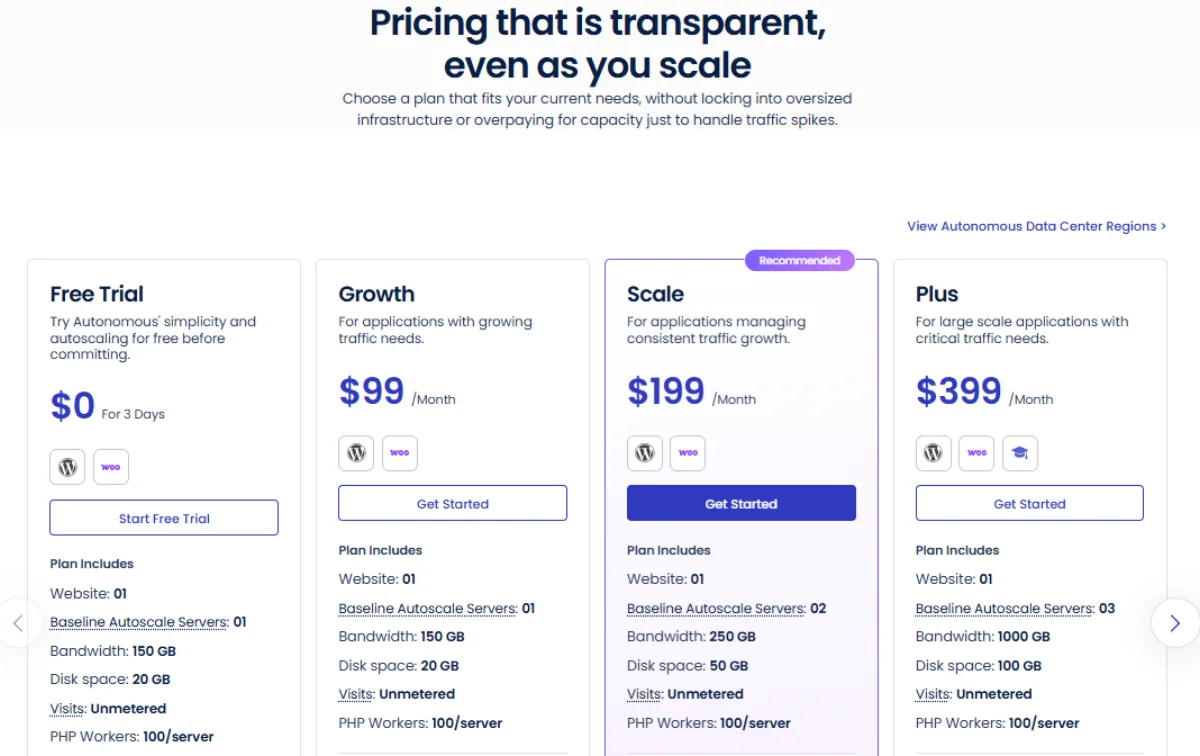
The Autonomous base/growth plan starts at $99/mo for one website and includes 20 GB storage, unlimited unique visits, and 150 GB bandwidth. It scales to $399/mo for large applications, up to 1000 GB bandwidth and 100 GB disk. Every plan includes one supported website and unmetered visits.
The caveat is usage outside your base bill: additional storage is $1/GB and extra bandwidth is $0.04/GB, and Cloudways can add server capacity during unusually busy periods, billed by how long those resources run. Put simply, Autonomous handles sudden growth for you, but you pay for the convenience. It makes sense for busy, revenue-generating WordPress sites with unpredictable traffic. For a smaller, stable site, Flexible is much cheaper and the better pick.
The add-on economy: where the flat price stops
- The starting price only covers your hosting plan. Depending on what you need, several things cost extra:
- Email hosting isn't included, Rackspace mailboxes are $1/mailbox/mo, or you bring your own provider
- Cloudflare Enterprise runs $4.99/mo per domain
- Advanced Support (faster SLAs, deeper investigation) lists at $100/mo, with a heavily promoted $25/mo deal for premium support with phone access and a private Slack channel
- Offsite backups, SafeUpdates, and malware protection each carry their own meters or fees
Best for: None of these are hidden, but they can push your final bill well past the sticker. An agency starting with an $11 server could pay much more after adding email, Cloudflare Enterprise for several sites, and paid support. Do not budget on the advertised starting price, tally the add-ons you actually need first.
Support and the answers to the odd searches
- Cloudways includes free 24/7 support via live chat and tickets, useful for platform, server, and basic hosting issues. For complex problems and phone support, you pay for a premium plan. A few things people keep searching:
Is Cloudways an IaaS provider? No. It's a managed cloud platform that runs on IaaS from other providers, DigitalOcean and friends supply the servers, Cloudways adds the dashboard and management
Does Cloudways have a separate LMS hosting product? No. You host an LMS by installing WordPress and adding your preferred LMS plugin
What do "virtual machines" mean here? They're the cloud servers running your site. You control many server settings through the platform, but you don't get unrestricted root access
How does it compare with using DigitalOcean directly? DO is one of the providers available through Cloudways. Using DO directly can be cheaper, but you handle more of the setup and management yourself
Who Cloudways actually fits
Cloudways is a good fit if you run multiple websites and want better performance tooling without managing a server from scratch, and if you prefer paying monthly or hourly rather than committing to a long contract. It's also strong for agencies and teams thanks to team accounts, cloning, and client transfer.
You won't benefit as much if you want everything bundled into one package, if you're an absolute beginner better served by a host with support included, or if you run stable low-traffic sites where a fixed-budget plan costs a third less. For the full field, see our best Cloudways alternatives.
Frequently Asked Questions
Conclusion
4.0 out of 5, consistent with its #3 placement in our 2026 provider ranking. Cloudways proves the thing this site keeps arguing: hosting can be priced like a normal product, one number, no ambush, and still be a good business. The main thing to watch is the total cost, which often includes add-ons you need. If you want to keep hosting simple and predictable, BearHost is worth a look, you get straightforward hosting without choosing cloud providers, sizing virtual servers, or figuring out which add-ons you need. You can also compare it head-to-head in our Cloudways vs Hostinger breakdown or browse the best Cloudways alternatives.